
A Raspberry Pi, a Bluetooth speaker, and a web page. That is the whole stereo.
SAFYDO streams internet radio and plays your own music from a USB stick, sends it to a Bluetooth speaker at the best codec that speaker will accept, and is driven entirely from a page it serves itself. No app to install, no account, nothing leaving the house. It runs on boards with 512 MB of RAM, which is the constraint behind almost every decision below.
web ui
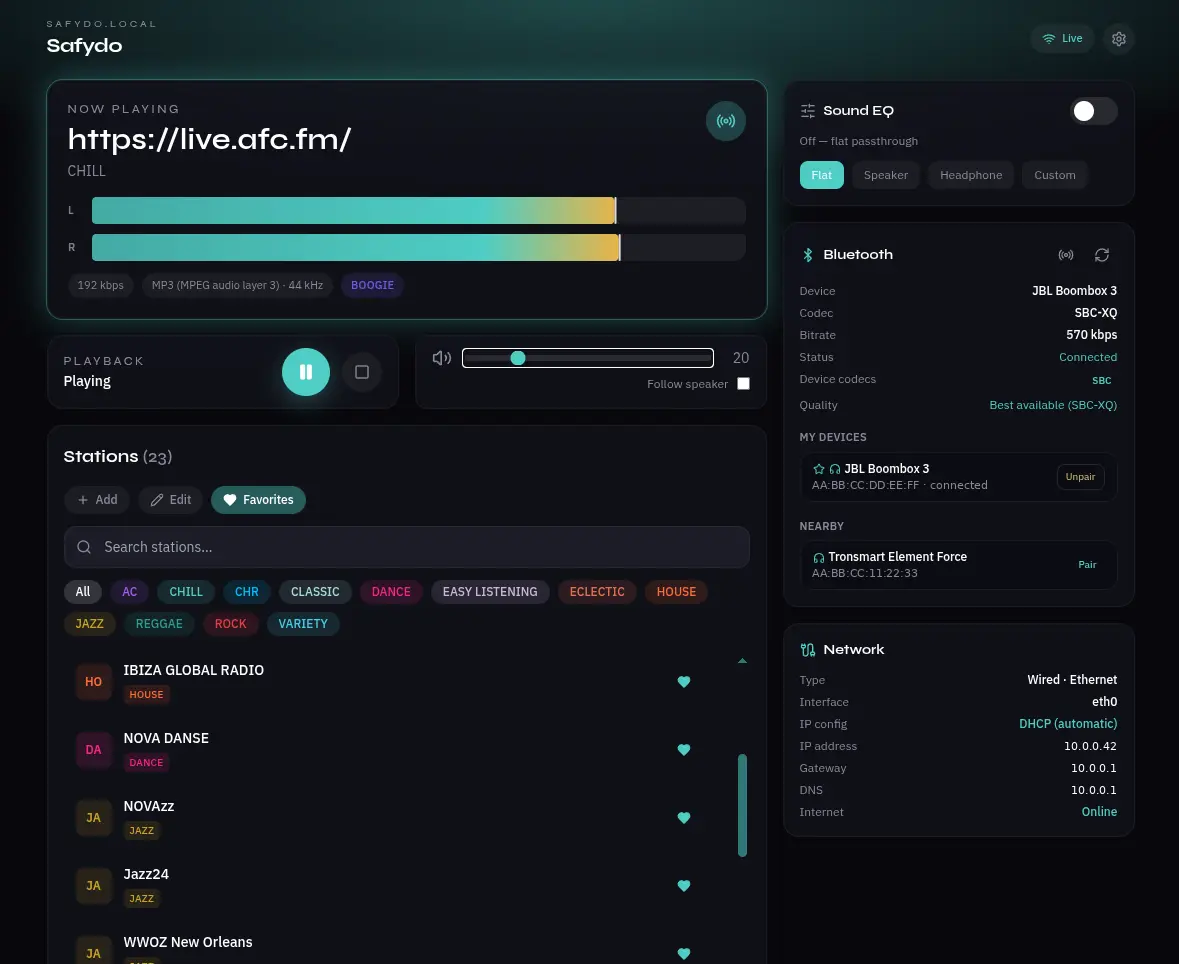
Everything from one page, on any phone in the house.
- Internet radio from an editable station list, with genre and category filters, favourites, and discovery through Radio Browser and Jamendo.
- Your own music from a USB stick — auto-mounted whatever its filesystem — and from network shares over SMB or NFS.
- Bluetooth pairing from the browser. Scan, pair, connect, forget. Known speakers reconnect on their own at boot, and when several are around it takes the one with the strongest signal.
- The best codec the speaker supports, negotiated automatically and shown in the interface — SBC-XQ, AAC, aptX, aptX-HD or LDAC — with a manual override for devices whose firmware misbehaves.
- A five-band equaliser with presets and custom curves, off by default so nothing touches the signal unless asked.
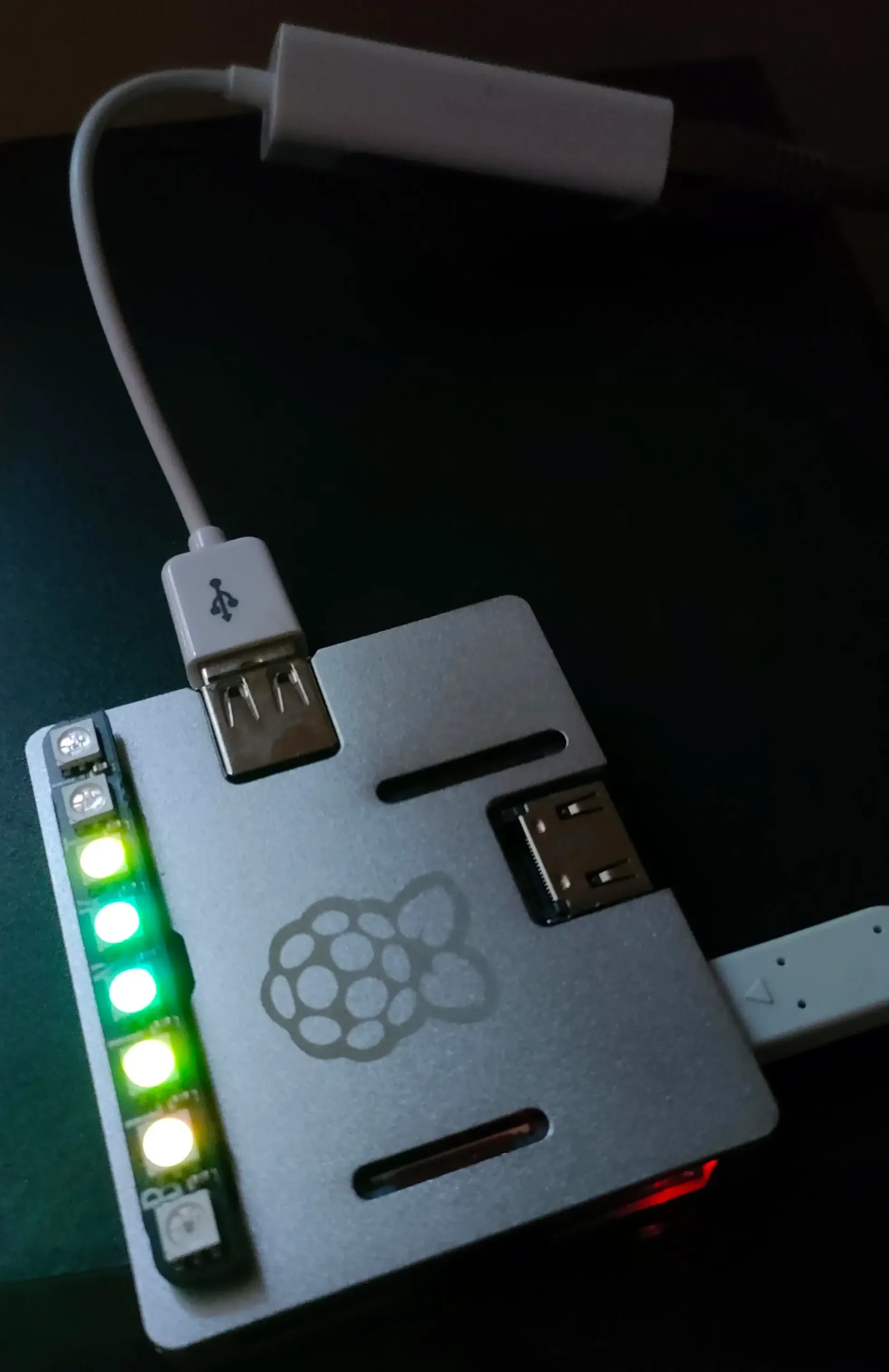
- A stereo VU meter driven by the real left and right levels, plus an optional eight-LED hardware meter on a Blinkt board.
- WiFi setup with no screen and no keyboard. If it cannot get online it raises its own access point; you join it, pick your network from a list, and it joins and stands the AP down.
Two boards, one codebase.
It runs on the Raspberry Pi Zero 2 W and the Raspberry Pi 3 A+ — both 512 MB, both on Raspberry Pi OS Lite, 32-bit. The installer works out which board and which OS release it is on and adapts: overclock profiles, boot configuration, the development link, and which recovery path to print if something goes wrong all differ between them.
Networking is normally a USB ethernet or WiFi dongle rather than the onboard radio, for a reason worth its own note below.
hardware
Deliberately thin.
BlueZ and ALSA carry the Bluetooth audio, with bluez-alsa built from source for the HD codecs. mpv does the playing, driven over its JSON IPC socket. A FastAPI backend exposes it all as a small HTTP and WebSocket API, and the interface is React and Tailwind compiled to static files and served by nginx.
No PulseAudio, no PipeWire, no Node server in production. Idle with the interface open and music playing, the whole thing sits around 130–180 MB.
Things that were only obvious afterwards.
Bluetooth and WiFi are fighting over one antenna
On both of these boards the onboard 2.4 GHz radio is shared between WiFi and Bluetooth, and A2DP is what loses. The fix is unglamorous: turn the onboard WiFi off, put the network on a USB dongle, and let Bluetooth have the air to itself. The installer now does this by default — but it refuses when that would cut the only way back into the box, and says so loudly rather than skipping it quietly.
The packaged Bluetooth audio only speaks SBC
If you want AAC, aptX, aptX-HD or SBC-XQ — and on a decent speaker you can hear the difference — the distribution’s build will not give them to you. So the installer builds bluez-alsa from source with the codec libraries compiled in, and on one of the target systems the AAC library is not in the package archive at all, so it builds that from source too. It is a long build. It is also the difference between 328 and 570 kbps to the same speaker.
A captive portal that hands out no addresses looks exactly like a broken one
The setup access point appeared, phones could see it, and joining silently failed after about eight seconds. The access point was fine. The dnsmasq package installs a system-wide resolver that binds every interface, so the portal’s own DHCP server could never claim the port and had been crash-looping unnoticed. Clients associated, waited for an address that never arrived, and gave up. From a phone, indistinguishable from a router that hates you.
A radio cannot scan for networks while it is a network
The setup page lists the WiFi networks around you, which sounds trivial until you notice the player has one radio and is currently using it to host the access point you are connected to. Scanning would knock you off the very page you are reading. So the survey is taken in the last moment before the access point goes up, cached, and served from there — and the page says so, rather than pretending it is live.
An instrument that can go quiet in the same shape as the bug
While chasing an audio dropout, the monitoring tool reported zero Bluetooth packets for the better part of an hour — twice — while a second copy of the same tool, started by hand at that exact moment, counted a hundred a second. The process was alive, its reader thread was alive, and it was still burning CPU on packets that never reached the counter. Two false conclusions came out of that before it was caught.
The count now comes from the kernel’s own statistics with nothing in between, and every line of the log records whether the witness itself is healthy. A measuring device that can fail in the same shape as the fault you are hunting is worse than no measuring device.
Sometimes it really is the hardware
One of the two boards drops Bluetooth mid-stream: the controller raises a hardware error, stops answering the host entirely, and only a reboot brings it back. It was chased for a long time as a software problem — the audio daemon, the Bluetooth stack version, the OS release, radio interference — and it is none of them. The same failure is reported on a different Pi model, a different kernel, a different Bluetooth stack version and a completely different audio server. What those two have in common is the controller chip.
That is where it stands: identified, documented, unfixed upstream, and worked around by putting the audio on the board that does not do it.
Four rules it is built to.
- The web interface is the product. Playback, equaliser, pairing, network setup, USB rescan, diagnostics, shutdown — all of it reachable from the page. SSH is for development, not for operating the thing.
- Quality is never traded for convenience. If audio breaks up, the cause gets fixed; the bitrate does not get quietly lowered to hide it.
- Assume the power will be cut. Logs live in RAM, the filesystem is tuned for it, and there is a graceful shutdown button for when there is time to use it.
- One command to install. Idempotent, detects the board and the OS release, safe to re-run at any time.
Working and in daily use: streaming, local and network files, Bluetooth pairing and HD codec selection, the equaliser, the visualiser, the WiFi setup portal, ethernet priority, and the installer. Open: the controller fault above, and the usual long tail of polish.
Source, and the full engineering notes including everything that went wrong on the way: github.com/anducampu/SAFYDO